

“Search Console tools and reports help you measure the traffic and search performance of your site, solve problems and make your site stand out in Google Search results”: this is the claim that Google itself offers of its platform and… we can’t deny it.
The platform, which until May 20, 2015 was called Google Webmaster Tools, has today taken the name of Google Search Console (or GSC).
It is a free tool that anyone who runs a website, from an international e-commerce to an amateur site, should learn about and ideally use.
In this article we will see together what the Google Search Console is, how to use it, what it enables you to do, what its sections are for and why it is so important for the management of a website.
How to create a Google Search Console account
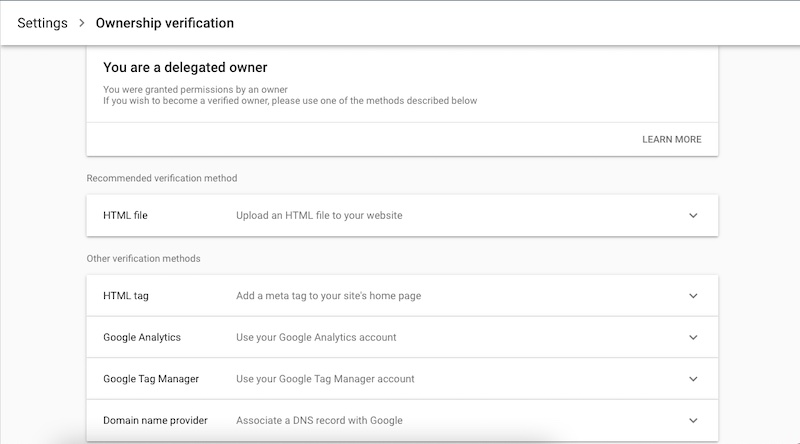
To open a Google Search Console account, it is first necessary to demonstrate that a user is the actual owner of the website or, alternatively, s/he is authorized to access it.
This verification is possible through different methods.
Among these, we find the insertion of a verification file via FTP within the site, the insertion of an HTML tag in the head section of the homepage, the use of the domain provider, and the verification via Google Analytics or Tag Manager.
If the account is already existing and the property already verified, it will be sufficient to enter the email address of the site’s owners in order to have access to the Search Console.
Google Search Console: what it allows you to do
Immediately after creating a website, or acquiring its management, it is good practice to activate a Google Search Console account (or request access, if it already exists). The same goes for those who have to carry out an in-depth analysis of the “health conditions” of the site itself – but we will see this later.
You may wonder why GSC is so important: simply because it is the only way, to date, for you to open a “dialogue” on several topics directly with Google.
Specifically, you need to have a GSC account to communicate to Big G updates on the website or changes to its structure, to understand in which areas to improve its efficiency, to monitor the placement of keywords in the SERP (Search Engine Results Page) and their indexing, to check the user experience, any penalties, or the presence of viruses, here, to do all this.
As if these were not enough, the GSC includes features to monitor the number of impressions in Google searches, the number of clicks resulting from Google searches, and the performance of individual pages over time, but also features related to sending XML sitemaps (real site maps) that help the Google crawler better understand and scan the structure of the website.
In addition, any generated report can be downloaded and exported to Google Sheets, Excel or CSV.
Another really advantageous feature that the GSC offers is that, in the event of a website being breached, under attack of a virus or being issued a sanction against it, Google will immediately communicate these updates to users with access to the platform.
The Google Search Console sections
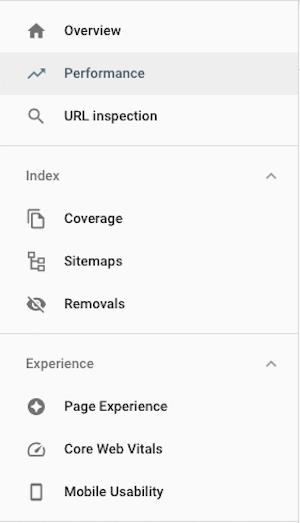
Accessing the GSC, on the left you will find the menu with the various sections.
Let’s see them together, following the order we currently find in Search Console.
Introduction
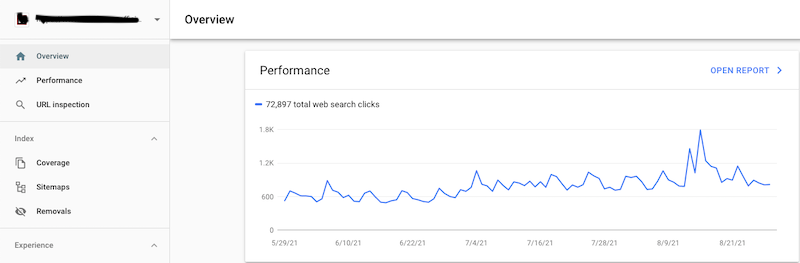
The equivalent of a Dashboard, in which you will find a general overview with any scan error encountered by Google, clicks generated on the site, experience with pages and possible improvements.
Yield
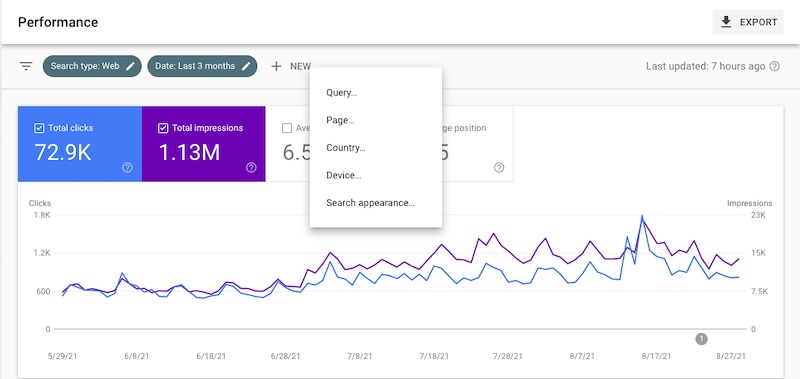
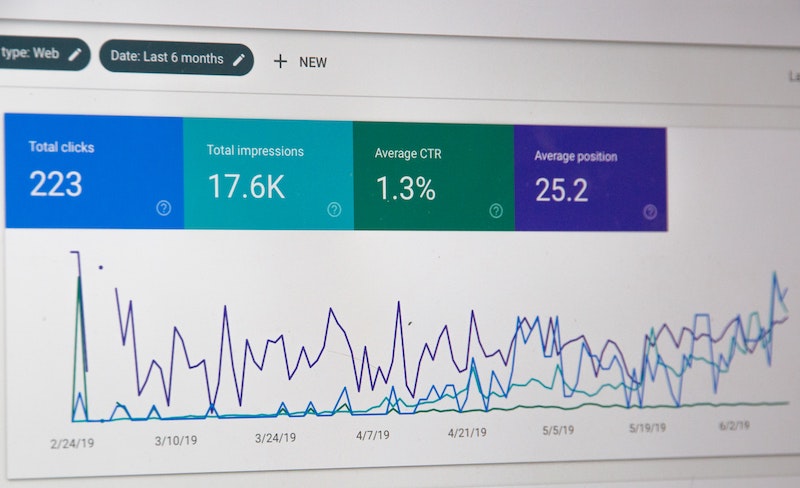
In the second menu section, as the name suggests, we can find the results of the website over time (you can go back up to 16 months).
Here you can monitor clicks, impressions, CTR (Click-Through-Rate) and average ranking.
The latter is perhaps the main metric that SEO and Digital Marketing experts monitor over time and on which it is necessary to work constantly through optimizations. The average position refers to that obtained through the most relevant keywords of the website (but you can still check any keyword you want).
Another fundamental aspect is the ability to monitor keywords for a specific country: for example, if a books’ e-commerce has particularly good ranking in Spain, the GSC enables to check the positioning of all the keywords of our interest by restricting the search to Spain only.
URL control
This is not an actual section, but rather a feature, and it allows to enter in a search bar any URL of the website and check the “state of health”.
Google Index
This section traces the number of total pages that have been indexed in the search engine and, thanks to a dedicated graph, shows the trend over time.
The Remove URL page proves useful if you want to ask Google to remove one of the indexed pages.
The Sitemap section allows Google to index the content: a sitemap of your website can be inserted within this subsection.
Experience
This section is very valuable since Google has decided to focus a large part of the ranking factors on user experience. In fact, it was introduced in May 2020 with the advent of the report of Essential Web Signals (Core Web Vitals) which shows the quality of the browsing experience within a website.
The report is split into mobile and desktop and it is based on a set of parameters that, according to Google, if satisfied should provide the user with the best possible browsing experience.
Here you can find, in detail, the parameters used by Google.
The “Experience” section is useful to improve the health of the site: the goal is trying to follow the suggestions provided by Google itself, while optimizing the site and its content.
When a problem arises in this section and you are sure to have solved it, you can send Google a request for validation; the acceptance, or rejection, time is not always the same but varies from case to case.
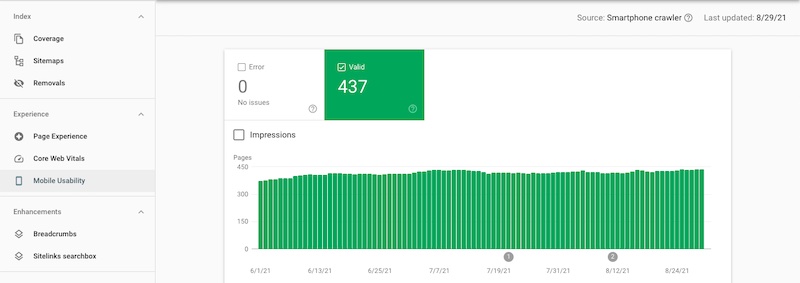
Finally, the subsection Usability on mobile devices indicates whether and which problems of mobile usability have been encountered (it is essential for the site to be responsive since mobile traffic is constantly growing): basically, in this section Google determines if the content of the pages is easily readable or if, on the contrary, there are navigation difficulties.
Improvements
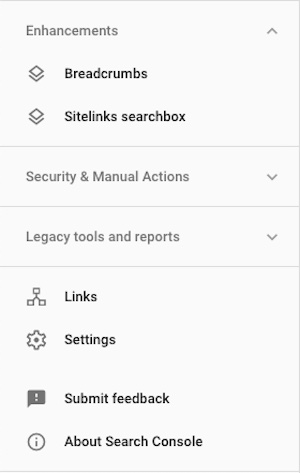
This section is divided into Breadcrumb and Sitelink Search Box.
The breadcrumbs on a page indicate the position of the page in the site hierarchy and can help users understand and navigate the site effectively.
A user can fully navigate the site hierarchy, one level at a time, starting with the last breadcrumb in the breadcrumb track.
When you are on a web page, have you ever noticed that list of categories divided by hyphens, generally located at the top left of the page? Those are breadcrumbs: by clicking on each one of them you should be able to easily browse a website and seamlessly switch from one category to another.
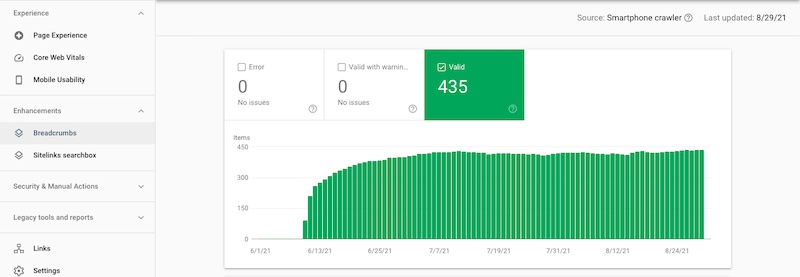
A sitelink search box, on the other hand, allows users to perform quick and immediate searches on a site directly from the search results page. The search box implements real-time suggestions and other features.
For example, if you are googling something, among the search results will generally appear, in addition to the various snippets, the internal sections of the website you were searching for, or even a search tab that allows you to search directly within it. These are the sitelinks and the search boxes.
Safety and manual actions
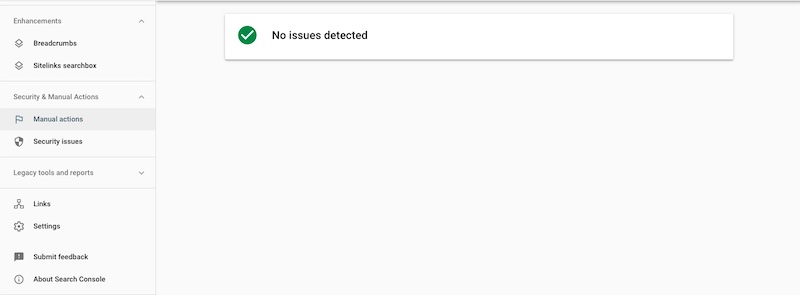
These sections are often empty, hopefully. If, however, Google has left some messages, it is good practice to start investigating and monitoring the website.
Some Google communications may concern the following topics: Site used illegally with third-party spam, spam generated by users, problem related to structured data, pure spam, compromised images, sparse content with little or no added value, etc.
Here you can read the full list.
Previous instruments and reports
As we already said, until May 2015, the GSC was called Google Webmaster Tools: within this section you can find the tools of that previous version.
Among such tools, International targeting, messages, URL parameters and Web Tools are included in the new version of the GSC and you can also find them in other sections, perhaps with different names.
Link
In this section it is possible to check the backlinks of the website and access a list of sites that have multiple references to your website, anchor text and more linked pages. Here you can also check which pages receive the most internal links.
The more (reliable) backlinks, the greater the reliability of the website acknowledged by Google.
Settings
Finally, this is the section where you can verify the ownership of the website, add a user, associate other Google tools to the GSC (for example, Google Analytics) and refer some administration information.
Google Search Console: why it’s so important
So, after analyzing the tool and its sections, the final question is whether the GSC is important. The answer is: it absolutely is.
Anyone managing a website, as we already said, should use it to improve its performance.
It really is a complete and potentially infinite tool, which allows to thoroughly analyze a website, study possibilities for improvements, monitor performance over time, study which is the more or less performing content of the site. In short, an almost endless list of ideas for reflection to better develop your website and the related business.
To summarize, Google Search Console is a platform with such a vast amount of data, useful information and benefits that makes it an indispensable tool for entrepreneurs and Digital Marketing teams, since it facilitates the optimization of every aspect of the website, in order to improve its performances for both Google crawlers and users of the site itself.
In conclusion, here are some of the actions allowed by the Search Console:
- Verifying that Google can find your site and scan it;
- Resolving indexing problems and requesting new indexing of fresh or updated content;
- Viewing Google Search traffic related to the site: frequency of viewing your site in Google Search, for which search keywords the site is ranked, frequency of users’ click-through for such keywords, etc;
- Sending Sitemap to the Google index;
- Checking each individual URL of your website to assess its state of health;
- Receiving alerts in case Google encounters indexing, spam, virus or other problems on the site;
- Requesting the deletion of already indexed pages (a very useful action if the site has been attacked by a virus);
- Showing other websites that link to your website (backlink activity);
- Troubleshooting usability issues on mobile devices and other search features.
And these, as said, are only the main utilities of Google Search Console: to find out all the other ones, please contact us and we will be happy to help you analyze the health of your website.
If you would like to learn more about Digital Marketing or just get to know this amazing world better, click here to read all our blogposts.
If you enjoyed this article and would like to receive more, conveniently by email, click here and subscribe to our newsletter.